
Let's be honest-AI isn't slowing down anytime soon. And as companies dive deeper into large language models, a lot of them are realizing that their existing data centers just aren't cut out for this kind of work. It's not surprising, really. LLMs are hungry beasts. They need serious computational firepower, and the kind of infrastructure that handles regular enterprise workloads? Yeah, that's not going to cut it.
At the heart of it all sits the gpu server for llm-that's where the heavy lifting actually happens. But here's the thing: without the right networking, power, and cooling systems backing it up, even the best GPUs will underperform. So let's walk through what actually goes into building one of these AI-focused facilities.
Why LLMs Need Something Different
Training and running LLMs isn't like hosting a website or running a database. We're talking about billions of parameters, massive datasets, and constant chatter between machines. A traditional CPU-based setup? It just doesn't have the juice.
AI data centers are built differently. They're designed around GPU clusters that deliver:
Serious parallel processing power
High memory bandwidth
Low-latency communication between GPUs
Support for both training and inference
Room to grow as models get even bigger
The infrastructure matters just as much as the models themselves-sometimes even more, honestly.
The GPU Server: Where the Magic Happens
A gpu server for llm workloads typically packs multiple GPUs into a single chassis, with high-speed interconnects that let them talk to each other without bottlenecks. Here's what you'll typically find inside:
| Component | What It Does |
|---|---|
| AI GPUs | The workhorses-training and inference tasks |
| CPUs | Handle data prep, orchestration, and control logic |
| HBM memory | Stores model weights and activations |
| NVLink / NVSwitch | Speeds up GPU-to-GPU communication |
| NVMe storage | Holds datasets, checkpoints, and model files |
| High-speed NICs | Connects the server to the wider cluster |
Popular GPUs for LLM Work
| GPU | Best For |
|---|---|
| NVIDIA L40S | Inference and fine-tuning |
| NVIDIA H100 | Enterprise AI training |
| NVIDIA H200 | Large-scale inference |
| NVIDIA B200 | Advanced LLM training |
| NVIDIA GB200 | Hyperscale AI systems |
One server is rarely enough, though. Most real-world deployments scale out to multiple racks-or even entire clusters.
Networking: The Underestimated Bottleneck
Everyone obsesses over GPUs, and I get it-they're the flashy part. But networking? That's where things can go sideways fast. In distributed training, servers are constantly swapping gradients, parameters, and sync data. If your network isn't up to speed, your GPUs end up waiting around. And waiting is expensive.
That's why LLM data centers lean heavily on high-performance networking designs.
Typical AI Network Architecture
GPU Server Leaf Switch Spine Switch Cluster Network
Key Technologies
| Technology | Purpose |
|---|---|
| InfiniBand | Ultra-low-latency AI communication |
| 400G Ethernet | High-speed cluster connectivity |
| RDMA | Fast memory access across servers |
| NVLink | GPU-to-GPU transfer within a server |
| NVSwitch | Scales multi-GPU systems efficiently |
Most modern AI clusters use a leaf-spine architecture-it keeps performance predictable and makes scaling a whole lot easier.
GPU as a Service: The Faster Path In
Not every company wants to build their own AI data center from scratch. Honestly, a lot of them shouldn't. That's where gpu as a service comes into play.
Instead of buying hardware outright, companies rent GPU capacity from a provider. You get access to serious compute power without the massive upfront cost or the headache of managing infrastructure.
Why GPUaaS Is Taking Off
Lower upfront costs-you're not dropping millions on servers
Fast deployment-get started in days, not months
Easy scaling-need more capacity? Just ask for it
Less operational burden-the provider handles the gritty stuff
Flexible access-great for testing, pilots, and production
For startups, research teams, and enterprises still figuring out their AI strategy, it's a pretty compelling option.
Power Systems: The Quiet Workhorse
Here's something people don't always think about: GPU servers are power-hungry. Like, really hungry. A modern AI rack can draw several times more power than a traditional server rack. And that changes everything about how you design your electrical systems.
Typical Power Demand
| Equipment | Approximate Draw |
|---|---|
| Traditional server rack | 5–15 kW |
| AI GPU rack | 40–120 kW+ |
| Very dense AI rack | 150 kW+ |
That kind of load means you need to think about:
Utility power upgrades
Power distribution units (PDUs)
Backup generation
Future expansion capacity
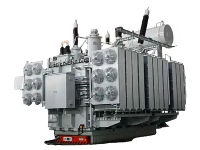
Transformers are a big deal here-they convert incoming utility power to what your facility actually needs. And as AI loads keep climbing, transformer sizing has become a major design consideration, not just an afterthought.
Liquid Cooling: No Longer Optional
Air cooling worked fine for the old-school data centers. But AI hardware? It runs hot. Really hot. And with rack densities going through the roof, air just can't keep up anymore.
That's why more facilities are turning to liquid cooling systems for their GPU deployments.
Common Liquid Cooling Approaches
| Method | How It Works |
|---|---|
| Direct-to-chip | Coolant flows directly over hot components |
| Rear-door heat exchangers | Removes heat at the rack level |
| Immersion cooling | Servers sit in dielectric fluid |
| Hybrid cooling | Mix of air and liquid approaches |
Why Liquid Cooling Makes Sense
Supports higher rack density
Better thermal control
Reduces cooling energy consumption
Keeps GPU performance stable
Future-proofs for even more powerful hardware
For newer generations of AI hardware, liquid cooling is quickly becoming standard practice-not an optional extra.
Pulling It All Together
A modern LLM data center isn't just a bunch of servers in a room.  It's a carefully balanced ecosystem:
GPU server clusters
High-speed networking
Power delivery and protection
Transformer and substation capacity
Liquid cooling infrastructure
Storage and orchestration layers
Backup and reliability systems
The key word here is balance. If any one part is underbuilt, the whole system suffers. You can have the best GPUs in the world, but if your networking or power can't keep up, you're leaving performance on the table.
Final Thoughts
Building an LLM data center isn't just about throwing more compute at the problem. It's about bringing together the right mix of GPUs, networking, power, and cooling so the whole environment can handle AI workloads reliably and efficiently.
The gpu server for llm is the heart of the system, no question. But it only performs when it's backed by solid networking, careful power planning, and a liquid cooling system for gpu deployments. At the same time, gpu as a service gives companies another route-especially when they want fast access to AI capacity without the burden of building everything themselves.
As LLMs keep growing, the data centers behind them will have to get smarter too. And honestly? That's exactly what's happening.
FAQ
Q: How soon can you delivery the transformer?
A: It depends on the quantity and capacity of the transformer, normally within one month since the date drawing confirmed by buyer.
Q: How long can you provide the quality warranty?
A: 24 months since the date transformer operated.
Q: What payment method do you accept?
A: T/T (wire transfer) preferred, L/C both accepted.